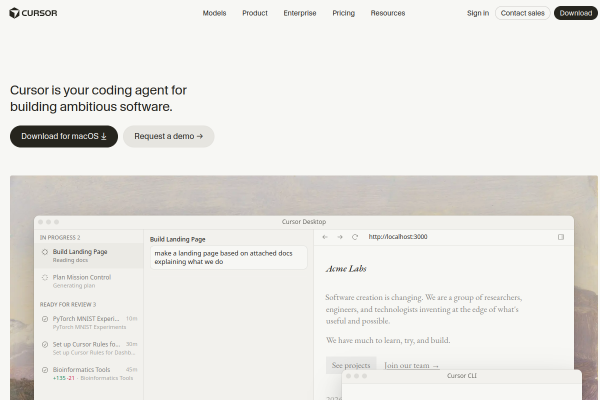
The default output of a coding agent is competent and generic. Taste Skill is an MIT-licensed skill collection built to fix exactly that: it gives the agent art direction rules, a way to work from reference images, and a browser check step so the result is verified rather than assumed.
It belongs with the other reusable skills in Agent Skills for AI Coding, and it runs inside Claude Code.
What Taste Skill Actually Does
The upstream repository is leonxlnx/taste-skill, with documentation at tasteskill.dev. In short, it supplies three things to an agent:
- Art direction. Concrete rules about hierarchy, spacing, contrast and typographic scale, so the agent commits to a direction instead of defaulting to whatever the framework ships with.
- Reference images. A way to work from a visual reference the user supplies, which turns "make it look better" into a comparison the agent can actually perform.
- A browser check. A verification step where the agent opens the result and looks at it, instead of shipping a page it has never seen.
That trio is the difference between an agent that writes plausible markup and one that produces a page you would ship.
Installing It
Clone and copy the skill folder. Skills are directories containing a SKILL.md file with front matter. Copy the folder into your project scope or user scope.
git clone https://github.com/leonxlnx/taste-skill.git
cp -R taste-skill/skills .claude/skills/
Project scope. .claude/skills/ inside the repository, so the whole team gets the same design rules and they are versioned with the code.
User scope. ~/.claude/skills/ on your own machine, so it applies to every project you open.
TasteCode. The same project ships TasteCode, a desktop application with a built-in design agent, available from tastecode.dev. It is a separate product from the skill and is useful if you want the design loop without wiring an agent yourself.
Using It Well
Give it a reference to work from. The rule set is strongest when you supply a visual target, even a rough one. The skill is designed to be steered by reference images rather than by adjectives.
Keep the browser check on. The verification step is the part that catches the mistakes you would otherwise review by eye. If you disable it, the skill reduces to a style guide, which is still useful but not the main point.
Expect it to conflict with an existing design system. A skill that sets art direction will fight a house style that is already defined. In that case, the better move is to keep your design system as the source of truth and take the browser-check habit from the skill rather than the art direction.
Use it in the editor where you review. The skill is editor-agnostic in format. In Cursor the same instructions work as a rule file, and the rule that matters is the one that makes the agent look at the result.
The Trade-offs
Taste Skill is a large, actively maintained skill set, which is a strength and a cost: the file content changes, so pin a version if you depend on it. It also assumes that visual quality matters for the task. For a backend service or a data pipeline, the browser check is pure overhead and the art-direction rules add noise.
Frequently Asked Questions
What is Taste Skill?
An MIT-licensed collection of agent skills that gives coding agents art direction rules, reference-image workflows and a browser verification step, so the output is checked rather than assumed.
How do I install Taste Skill in Claude Code?
Clone leonxlnx/taste-skill and copy the skill directories into .claude/skills/ in your project, or into ~/.claude/skills/ for user scope.
Does Taste Skill work with Cursor and Codex?
The skill format is portable. The same SKILL.md files can be referenced from Cursor rules or an AGENTS.md file for Codex, with minor adjustments.
Is Taste Skill free?
Yes. The repository is MIT licensed, and the documentation site is free to read. TasteCode, the companion desktop application, is a separate product with its own terms.